
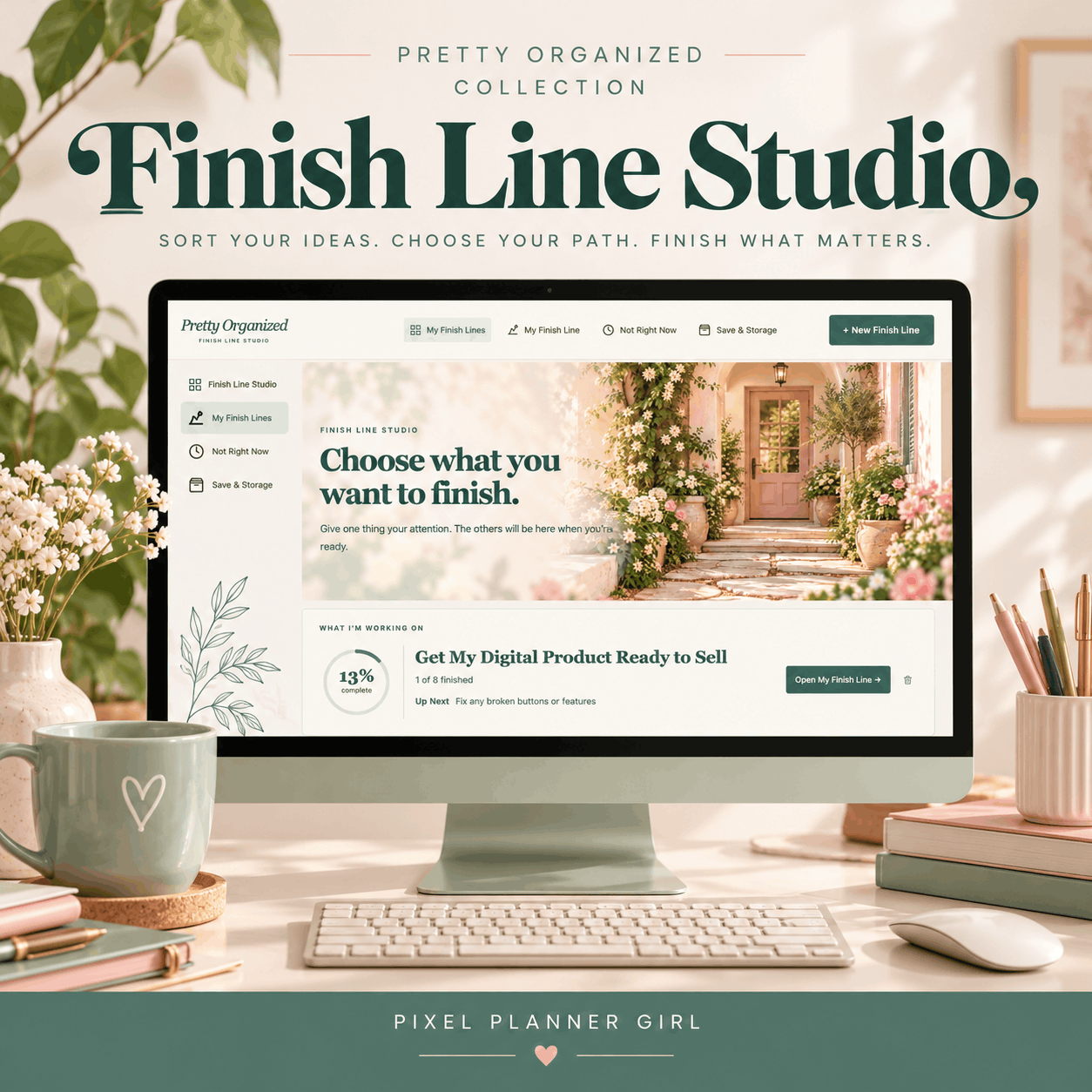
When one project becomes twelve different things.
You start with something you genuinely want to finish. Then another idea comes along. Maybe there's a feature you could add, something you could improve, or an entirely different direction worth exploring.
None of those ideas are necessarily bad. Some of them might even be really good.
But when everything feels like it belongs, it's hard to know where the project actually ends.
And sometimes, what you need isn't a better plan. It's a way to decide what you're really trying to finish.
A place to decide what actually belongs.
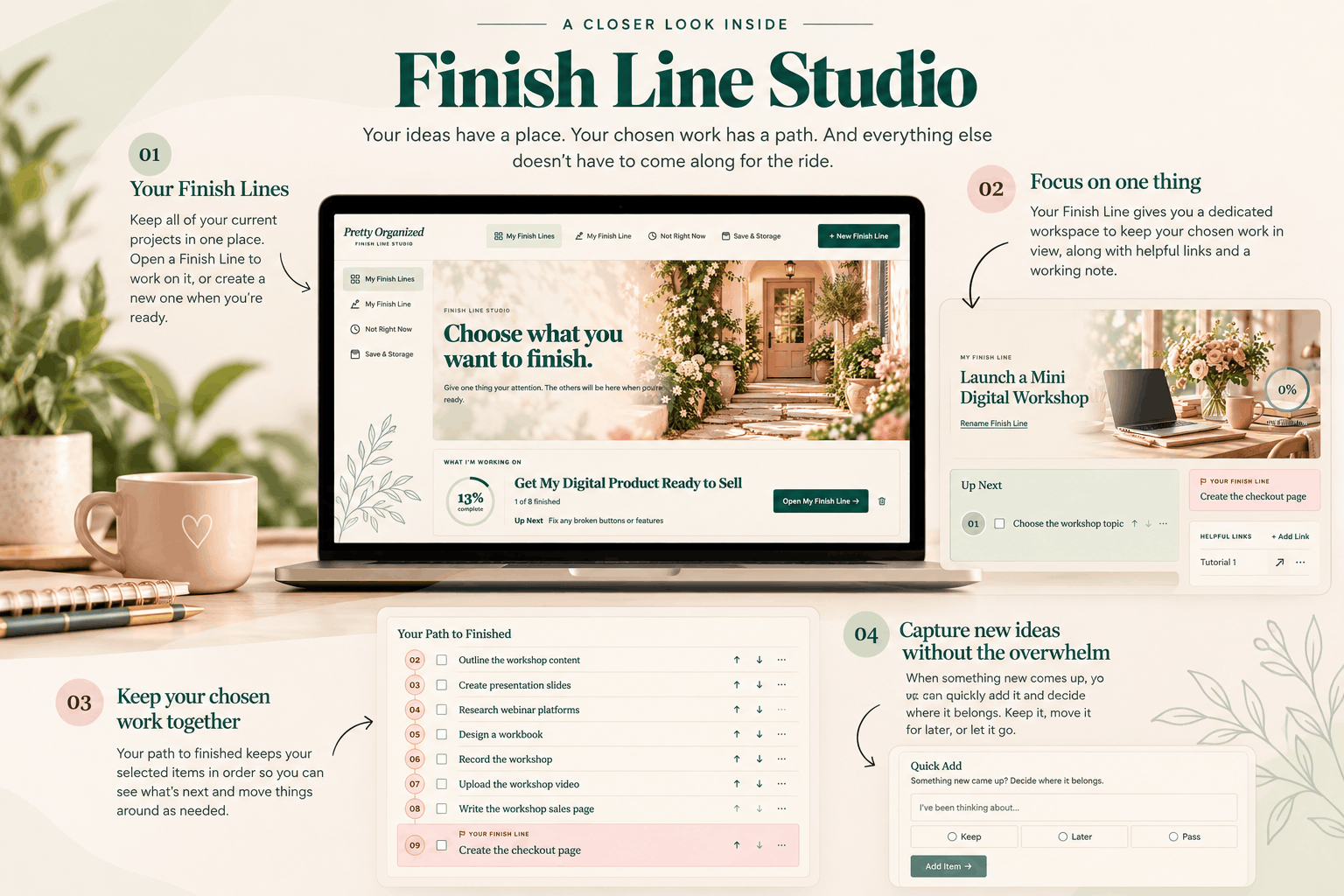
01
Create a Finish Line
Give the thing you want to finish a place of its own.
02
Sort your ideas
Get those competing thoughts out of your head and into one place.
04
See your progress
Keep your chosen work in view as you move toward the finish.
03
Choose what stays
Decide what belongs, what can wait, and what you can leave behind.
Ready to find your Finish Line?
$49
Sort through your ideas, decide what belongs, and keep your chosen work moving toward the finish.
A few things you might be wondering
-
Finish Line Studio is an interactive, browser-based workspace that helps you take an idea that's gotten a little bigger than you intended and figure out what actually belongs.
You'll have a place to get your thoughts out of your head, sort through competing ideas, and decide what you're keeping, saving for later, or leaving behind.
It's not another course to complete or a complicated planning system to maintain. It's a place to get clear on what you're trying to finish and keep that work together as you make progress.
-
Finish Line Studio was created with creative entrepreneurs in mind, especially those of us who have no shortage of ideas but sometimes struggle to decide where one project ends and another begins.
Maybe you're creating a digital product, updating your website, or working on something you've been meaning to finish for months. Somewhere along the way, more ideas keep finding their way into the project.
If you've ever looked at something you started and wondered how it became so much bigger than you planned, you'll probably feel right at home here.
-
Nope! Finish Line Studio runs directly in your web browser, so there's no software to install or complicated setup to figure out.
After purchasing, you'll receive access through The Digital Shop, our customer hub in ThriveCart Academy.
Just open the Studio in your browser, and you're ready to start sorting through your ideas.
-
Yes! Finish Line Studio automatically saves your work in your browser as you go, so you don't have to remember to hit a save button every time you make a change.
Your information is stored locally on your device rather than in an online account. That means your work won't automatically sync between different devices or browsers.
The Studio also includes a Save & Storage area where you can manage your saved information and create a backup.
Because your work is stored locally, it's a good idea to keep a backup, especially before clearing your browser data or switching devices.
-
Finish Line Studio is a one-time purchase of $49, with no monthly subscription fees.
Your purchase includes ongoing access to the Studio, so you can come back whenever you have another project, another idea, or something new you'd like to finish.
You're not limited to using it for just one project. Create new Finish Lines whenever you need them, and keep coming back as long as the Studio remains available.